
VRChat

VRCHAT HELLDIVERS 2 Quasar Cannon

  • ダウンロード商品
    ¥ 800

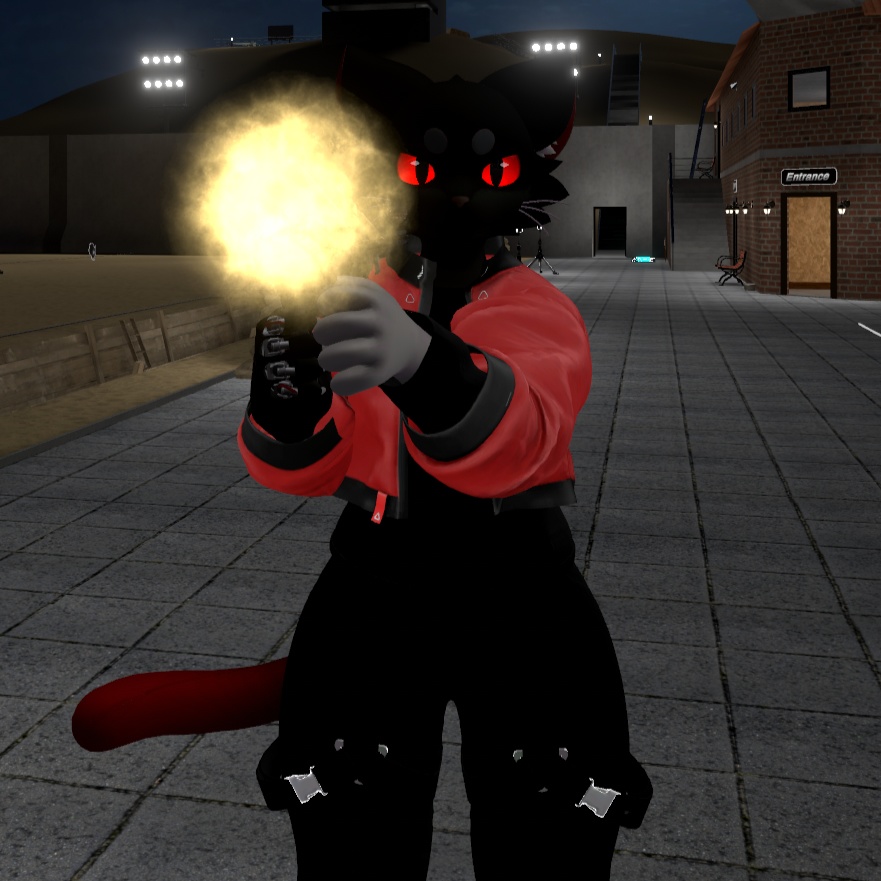
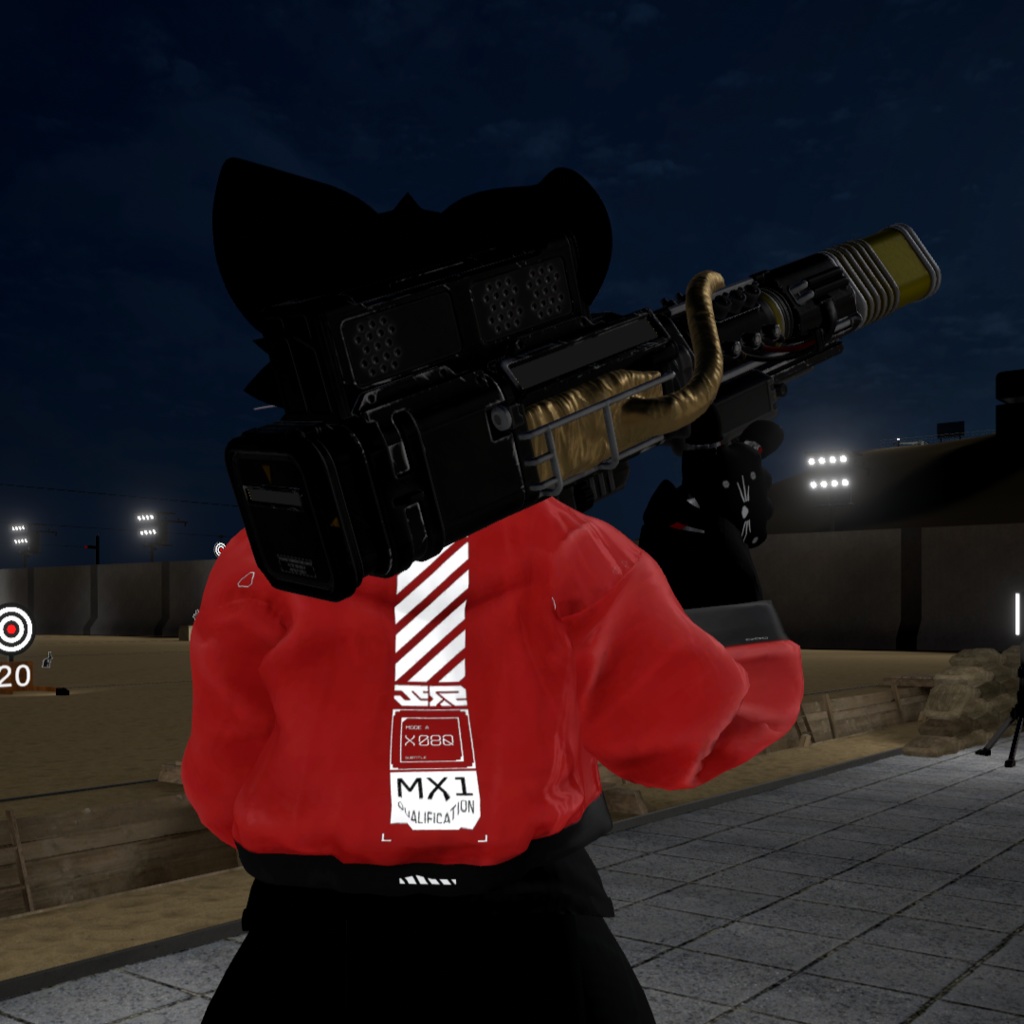
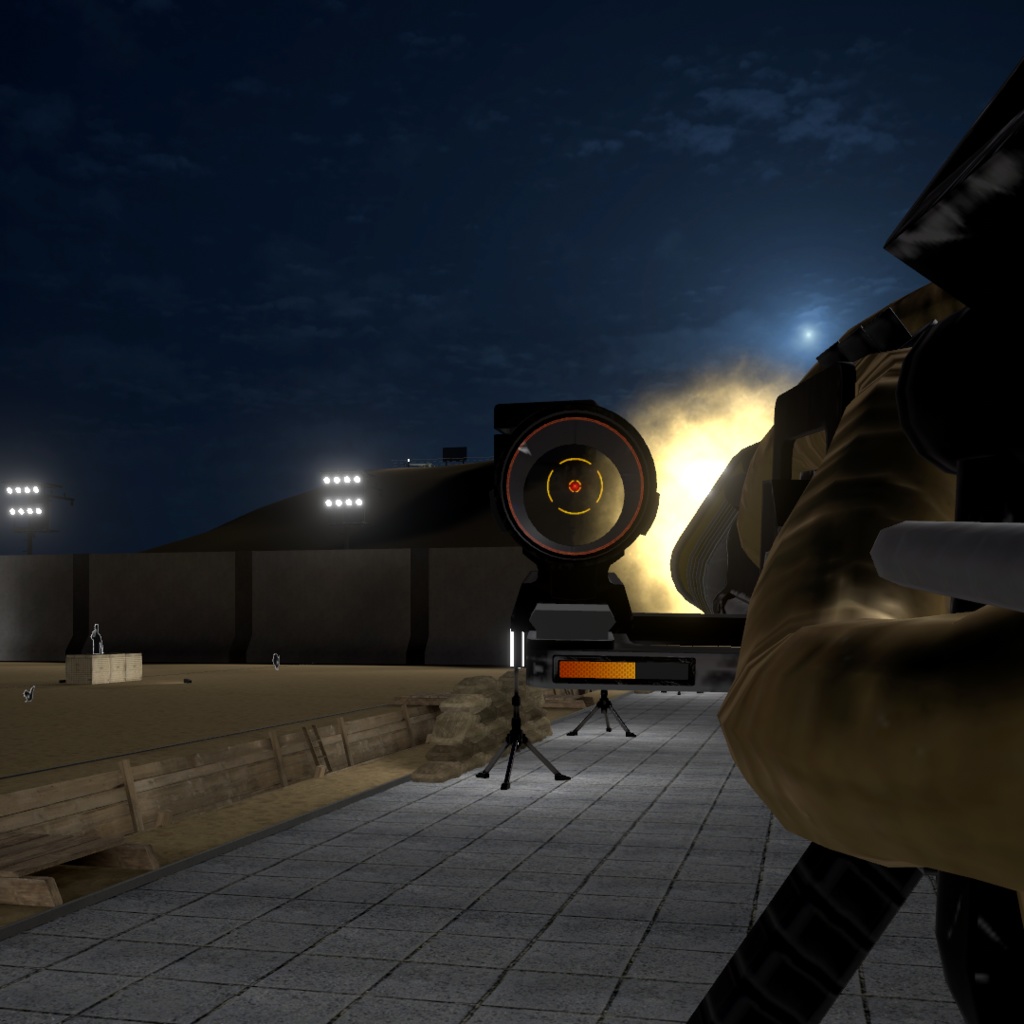
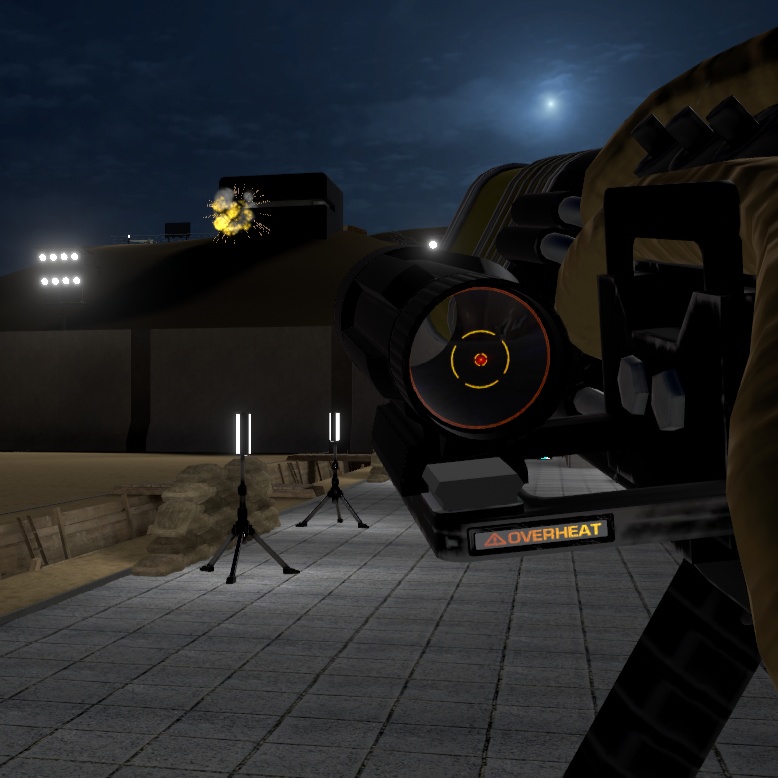
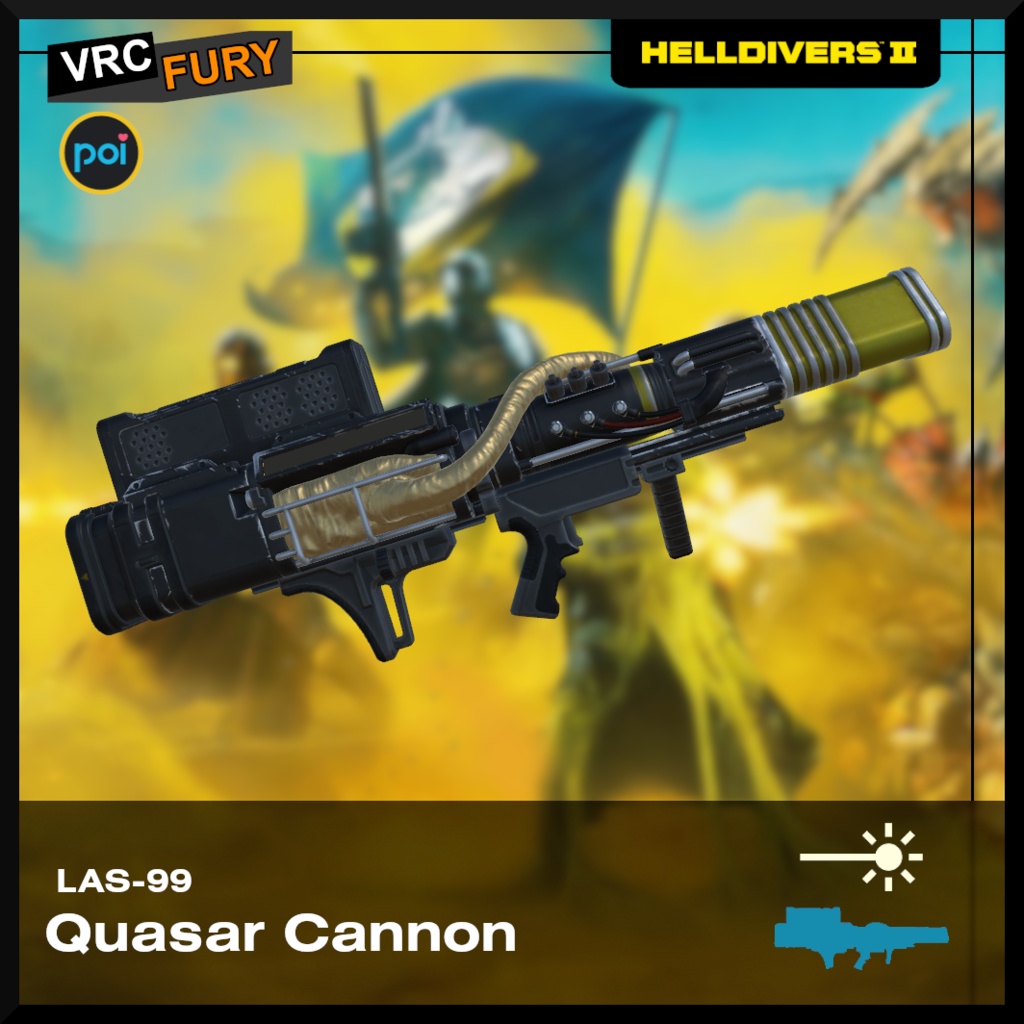
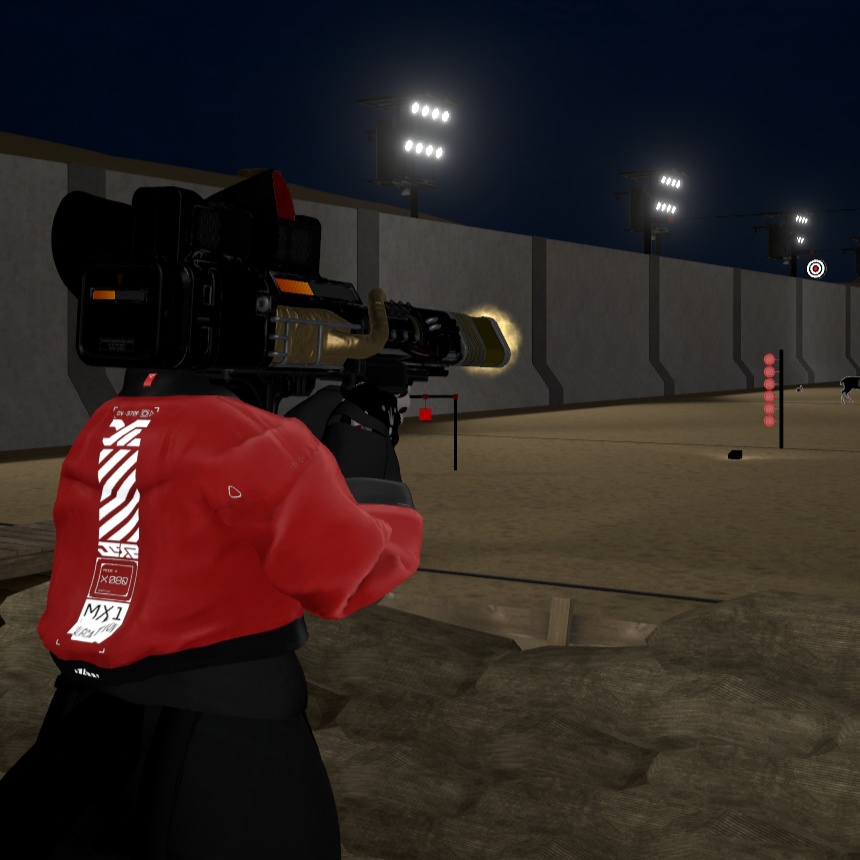
VRChat port of the Quasar Cannon from HELLDIVERS 2, featuring particles, animations, and functionality designed to faithfully replicate the weapon’s original behavior. 【Weapon Functionality】 Just like in HELLDIVERS 2, this weapon features a single charged shot that requires holding the trigger for a few seconds to fire. As in the original game, the weapon includes a progress bar that accurately indicates the current charge level. Once the bar reaches 100%, the weapon fires and enters an OVERHEAT state. After a few seconds, the weapon exits this state and becomes available to fire again. 【Controls】 - Holding the Fist gesture (right hand): Charges the weapon. - Grabbing the weapon’s foregrip with the left hand: Allows two-handed handling for better control. - Releasing the trigger while charging: Causes the weapon’s charge level to decrease. 【Features】 - Faithful functionality based on the original game. - Game-accurate shooting animations and particle effects. - Dynamic visual feedback. - Particles with colliders and sub-emitters. - Sound effects included. - Easy installation via VRCFury. 【Requirements】 - Poiyomi Shaders ( https://github.com/poiyomi/PoiyomiToonShader ) - VRCFury ( https://vrcfury.com/download/ ) 【Stats】 Tris: 15k Materials: 15 (Weapon: 8, Particles: 7) 【Don't include】 - The Mayu Avatar 【Installation】 - Install VRCFury and Poiyomi Shaders before proceeding with the prefab installation. - Import the .unitypackage file and locate the folder “LAS-99 Quasar Cannon”. - Inside the folder, locate the .prefab file and drag it onto your avatar. - Select the “R_Hand Constraint” GameObject and drag it onto the avatar’s right hand, adjusting its position as desired. -Select the “L_Hand Constraint (Grip)” GameObject and drag it until the green sphere get onto the avatar’s left hand - If you wish to adjust the object’s scale, do so from the prefab in the Hierarchy, then reposition the “R_Hand Constraint” and “L_Hand Constraint (Grip)” to properly align it with the avatar’s hands. - Once the Cannon is positioned as desired, the avatar is ready to be uploaded and the weapon can be enjoyed. ++A video with more detailed instructions is included in the download++ 【Terms of Use】 - Don't resell. - Don’t distribute. 【Credits】 - The textures and models was made for: Arrowhead Game Studios - The particles and Logic of the weapon was made by me.
VRCHAT HELLDIVERS 2 Quasar Cannon
VRChat port of the Quasar Cannon from HELLDIVERS 2, featuring particles, animations, and functionality designed to faithfully replicate the weapon’s original behavior. 【Weapon Functionality】 Just like in HELLDIVERS 2, this weapon features a single charged shot that requires holding the trigger for a few seconds to fire. As in the original game, the weapon includes a progress bar that accurately indicates the current charge level. Once the bar reaches 100%, the weapon fires and enters an OVERHEAT state. After a few seconds, the weapon exits this state and becomes available to fire again. 【Controls】 - Holding the Fist gesture (right hand): Charges the weapon. - Grabbing the weapon’s foregrip with the left hand: Allows two-handed handling for better control. - Releasing the trigger while charging: Causes the weapon’s charge level to decrease. 【Features】 - Faithful functionality based on the original game. - Game-accurate shooting animations and particle effects. - Dynamic visual feedback. - Particles with colliders and sub-emitters. - Sound effects included. - Easy installation via VRCFury. 【Requirements】 - Poiyomi Shaders ( https://github.com/poiyomi/PoiyomiToonShader ) - VRCFury ( https://vrcfury.com/download/ ) 【Stats】 Tris: 15k Materials: 15 (Weapon: 8, Particles: 7) 【Don't include】 - The Mayu Avatar 【Installation】 - Install VRCFury and Poiyomi Shaders before proceeding with the prefab installation. - Import the .unitypackage file and locate the folder “LAS-99 Quasar Cannon”. - Inside the folder, locate the .prefab file and drag it onto your avatar. - Select the “R_Hand Constraint” GameObject and drag it onto the avatar’s right hand, adjusting its position as desired. -Select the “L_Hand Constraint (Grip)” GameObject and drag it until the green sphere get onto the avatar’s left hand - If you wish to adjust the object’s scale, do so from the prefab in the Hierarchy, then reposition the “R_Hand Constraint” and “L_Hand Constraint (Grip)” to properly align it with the avatar’s hands. - Once the Cannon is positioned as desired, the avatar is ready to be uploaded and the weapon can be enjoyed. ++A video with more detailed instructions is included in the download++ 【Terms of Use】 - Don't resell. - Don’t distribute. 【Credits】 - The textures and models was made for: Arrowhead Game Studios - The particles and Logic of the weapon was made by me.